
Updating A Resource Record
Updating a Resource Record is similar to creating a Resource Record, but some work has been done for you.
Spreadsheet
If an Excel spreadsheet exists for the collection and it matches the Resource Record, add new materials to the end of the spreadsheet. Series and subseries information will be continuations of existing patterns.
If there is no existing spreadsheet, create a new one. It should follow the existing series and subseries patterns. New materials should start where existing series left off.
Resource Record
In the existing ArchivesSpace Resource Record, make the following changes/additions to the notes:
- In Processing Information, note that information was added and when it was added.
- Update Separated Materials and Arrangement as needed. Remark on new additions and choices made.
Important: Before uploading the new spreadsheet, delete the old series and subseries from the Resource Record. The new information will not replace the old information, but will instead be added to the end of the record.
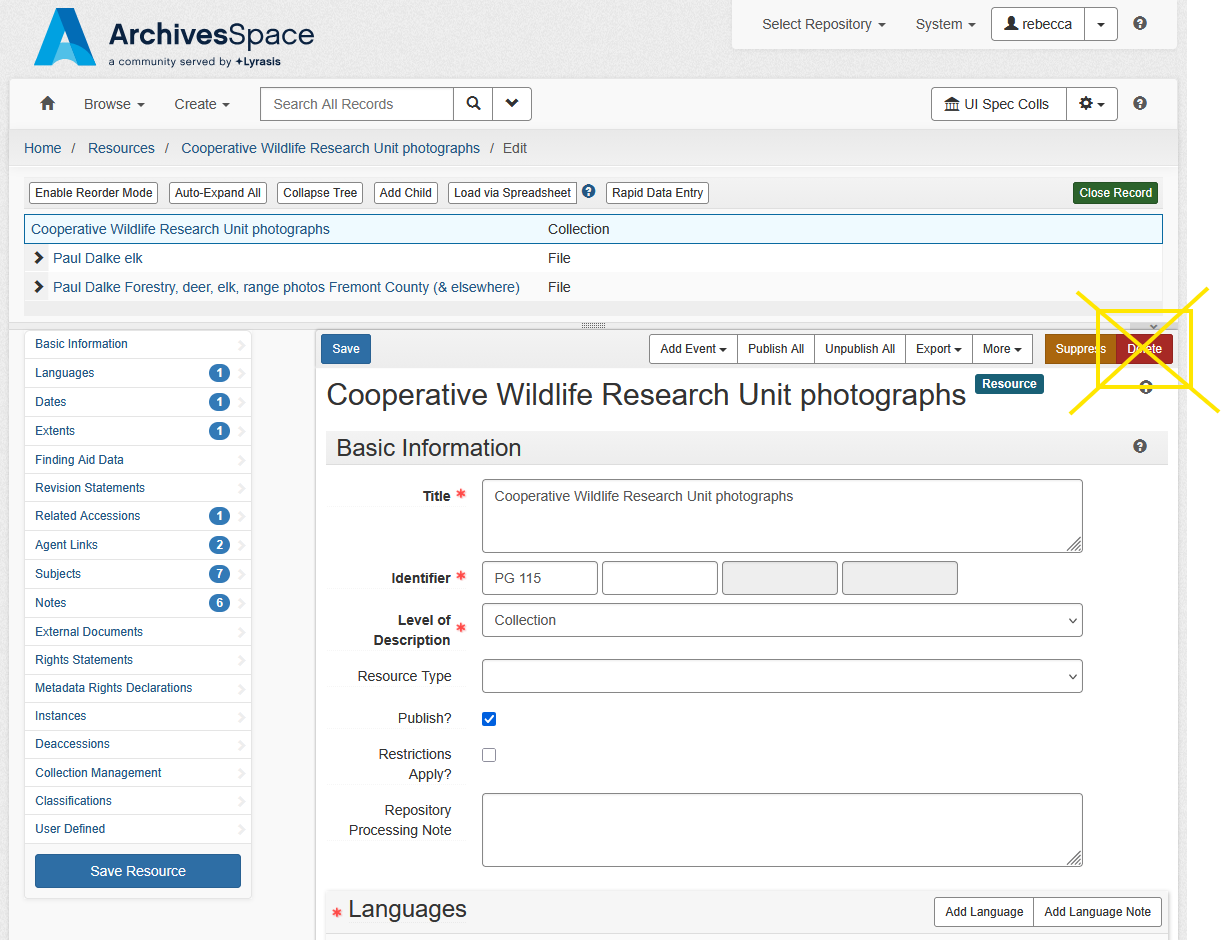
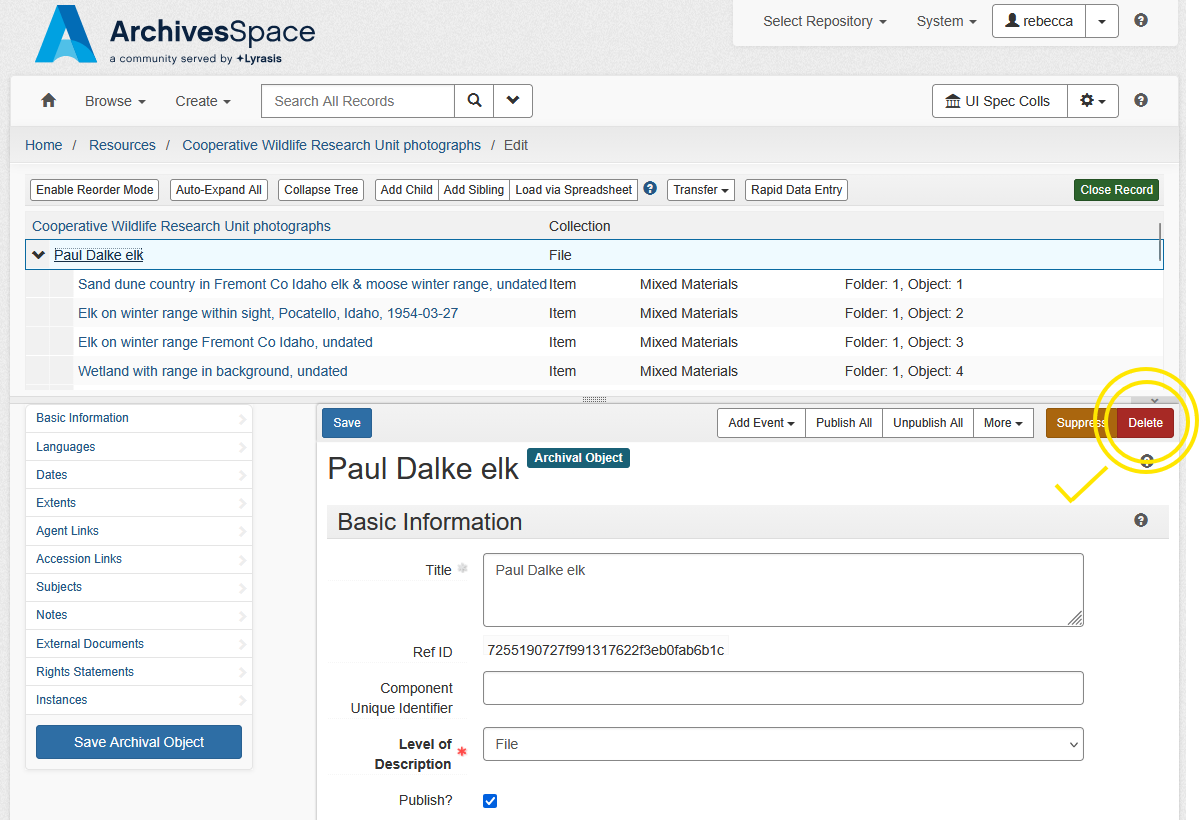
Delete the existing series by clicking on the series and hitting the Delete button on the right side of the screen.
Make sure that you are not clicked on the Collection line. If you hit delete while on the Collection line, the ENTIRE record will be deleted. Deleted records cannot be recovered (don’t worry too much if this happens - we’ve all done it).
Follow normal steps for uploading Resource Record to Archives West.